Ebook Info
- Published: 2007
- Number of pages: 240 pages
- Format: PDF
- File Size: 8.54 MB
- Authors: Barbara Obermeier
Description
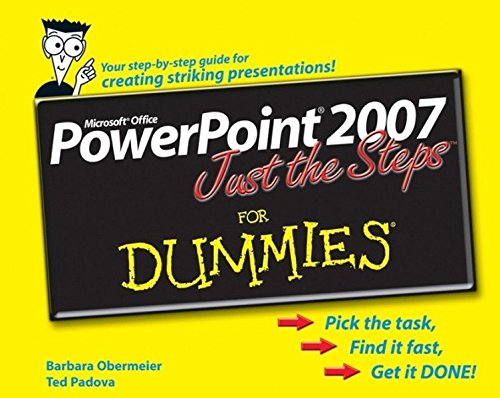
When you’re trying to harness the power of PowerPoint, you don’t want to wade through lots of background and definitions; you want to make things happen! Power Point Just the Steps for Dummies puts your hands and eyes to work immediately so you can finish any PowerPoint project in a flash. Just choose your task, follow the step-by-step instructions and vivid illustrations, and POOF! It’s done. In seconds, you’ll be: Creating a new presentationResizing or moving an objectDuplicating a slideUsing the outlining toolbarAdding notes to a slidePrinting your presentationSetting up a slide showWorking with pictures and clip artColoring text and objectsModifying the slide masterCreating a templateInserting a diagram or chartAdding sound and videoAnd moreWhether you’re new to PowerPoint, pressed for time, or visually oriented, this get-it-done guide will help make your next PowerPoint presentation look like a work of genius!
User’s Reviews
Editorial Reviews: From the Back Cover Easy steps for creating and sharing effective presentationsSimple steps……for great resultsCrop a PictureOpen a presentation in PowerPoint.Select the picture you want to crop. Cropping is one of the easiest things you can do to improve the composition of your pictures and hone in on the focal point.In the Ribbon, click the Format/Picture Tools tab. In the Size group, click Crop.Position your cursor over a cropping handle and drag. To crop equally on two sides simultaneously, press the Ctrl key as you drag the center crop handle on a side. To crop equally on all four sides simultaneously, press the Ctrl key as you drag a corner crop handle.Click anywhere in your slide outside the selected picture to deselect the Crop tool.Get ready toCreate a new presentationInsert tables, charts, and graphsAdd shapes, text effects, and colorsScale, crop, and position picturesIntegrate sound and moviesPrepare a self-running presentation About the Author Barbara Obermeier is principal of Obermeier Design, a graphic design studio in Ventura, California. She’s the author of Photoshop CS2 All-in-One Desk Reference For Dummies and has contributed as author or coauthor on numerous computer graphics books. Barb is also a faculty member in the Visual Communication Department at Brooks Institute in Ventura. Ted Padova is the author of more than 25 computer books. He writes primarily on Adobe Acrobat, Adobe Photoshop, Photoshop Elements, and Adobe Illustrator. He is a nationally and internationally known speaker on Adobe Acrobat and digital imaging.
Reviews from Amazon users which were colected at the time this book was published on the website:
⭐At first I thought this would be a helpful book, but if you have questions about specific tasks you would like to perform, it is useless. I would not buy this book again.
⭐This was a gift and it I received it in perfect condition and it was really like new. Shipping was certainly fast and I am very pleased.
⭐This book was clear and helpful.
⭐Not found.
⭐Not found.
⭐Not found.
Keywords
Free Download PowerPoint 2007 Just the Steps For Dummies 1st Edition in PDF format
PowerPoint 2007 Just the Steps For Dummies 1st Edition PDF Free Download
Download PowerPoint 2007 Just the Steps For Dummies 1st Edition 2007 PDF Free
PowerPoint 2007 Just the Steps For Dummies 1st Edition 2007 PDF Free Download
Download PowerPoint 2007 Just the Steps For Dummies 1st Edition PDF
Free Download Ebook PowerPoint 2007 Just the Steps For Dummies 1st Edition