Ebook Info
- Published: 2008
- Number of pages:
- Format: PDF
- File Size: 10.55 MB
- Authors: Jon Mcfarland
Description
User’s Reviews
Reviews from Amazon users which were colected at the time this book was published on the website:
⭐I’m trying to self teach myself AutoCad. You must have experience. You have to slog through 40 pages before your first drawing. This is the wrong approach.Part of the problem is the design of AutoCad. Not enough defaults for an intuitive quick start.You are called on to make decisions without the context of what’s better.A book that says “No Experience Required” should have a disk or download to set up quick start defaults.
⭐I purchased this book when I upgraded from 2005LT to 2009LT. This book does not cover many of the new features of 2009. I was hoping for an in depth section on dynamic blocks and annotative dimensioning. This book barely covers those topics. It also skims over plotting and layers. I will be returning this book for one with much more depth. This book would be good for a beginner, and by beginner I mean someone who has never used any autodesk product. It is also biased to the architectural side of drafting.
⭐I never received the book – so you get the lowest rating.Will have to cancel payment also
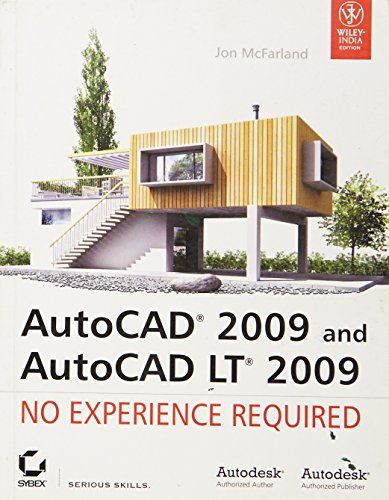
⭐Is there anything McFarland has left out about AutoCad 2009? Apparently not, at least for the newbie. As the cover prominently says, no experience needed. The book comprehensively covers what the novice might want. Explaining in detailed steps such basics as setting up a drawing, laying out walls of a building, and the use of layers. The latter is significant. For layering lets you decompose your design process into manageable parts. If you have perhaps used Adobe’s Photoshop and its layering, then the idea transfers over readily.The chapters also end in suggestions for exercises, so that you can integrate each chapter’s lessons into your understanding. The exercises are not that extensive, so you may have to push yourself into devising more problems if you feel the need.I should add that the text applies AutoCad to the designing of a building. Other important usages include designing consumer products. But the book stays on topic with architecture.By the way, for non-US readers, the examples in the book all use imperial measurements. But you can trivially change the Autocad settings to use metric.
⭐I purchased this as a required textbook for a beginning AutoCAD class (I am a first year interior design student). The instruction in the class was awful, but the book is great and I would really recommend it if you just want to teach yourself AutoCAD. I ended up drawing the house in the book piece by piece, as instructed, and then drawing what was required for my class. So I did double the work, but I ended up feeling very confident with AutoCAD – which is the point!
⭐If you want to learn AutoCAD or refresh your AutoCAD skills then this book is great.The book flows logically and builds up your knowledge through a series of exercises – on a project to draw a log cabin.I have used CAD (various systems) for 20 years, but just wanted to recheck my knowledge particularly on the changes in the AutoCAD 2009 Release. Although the graphic interface has now changed to a ribbon, the essential concepts and commands remain unchanged. I must say that I am old school and largely use the keyboard shortcuts.This book is well written, well explained, supported by on-line files, so you can pick the example project up at any stage – good if you only want to refresh/learn a particular subject.What I like about the book – is that demonstrates the discipline of good CAD drafting, which seems to either not been learnt, or totally disregarded in the real world. I can’t emphasis this enough – a CAD drafting that has been drawn correctly will be much more useful/powerful in the future for you and others. If you have to deal with poorly drafted CAD files (there are many bad dwgs and bad CAD users around) you will no doubt find yourself having to correct/redraw to be able to use and edit (maintain) the drawings. Time spent setting up you CAD standards on any drawing at the start (regardless of your work area: architectural, mechanical etc) – will be worthit in the long run.The book is done in imperial units, but metric users (like myself) please do not let this put you off. It’s the skill, concepts and discipline that you pick up from this book will far outweigh the fact that the imperial units are slightly unfamiliar. I had no problems using imperial, either look at it as gaining an additional skill, or just get use a measurement converter (which you can google on the net).There are few CAD Guru’s in the world – but this author is up there with the best.
⭐This book is very nice and has easy to follow steps unlike the mastering AutoCAD one that is full of text and less images. I got it before one of my first job interviews to practice for their test and as a reminder to what we took in the college compacted one week course. It is enough to start a career in drafting. The mastering gets more into coding.
Keywords
Free Download AutoCAD 2009 and AutoCAD LT 2009: No Experience Required in PDF format
AutoCAD 2009 and AutoCAD LT 2009: No Experience Required PDF Free Download
Download AutoCAD 2009 and AutoCAD LT 2009: No Experience Required 2008 PDF Free
AutoCAD 2009 and AutoCAD LT 2009: No Experience Required 2008 PDF Free Download
Download AutoCAD 2009 and AutoCAD LT 2009: No Experience Required PDF
Free Download Ebook AutoCAD 2009 and AutoCAD LT 2009: No Experience Required