Ebook Info
- Published: 2008
- Number of pages: 384 pages
- Format: PDF
- File Size: 11.11 MB
- Authors: Joel McNamara
Description
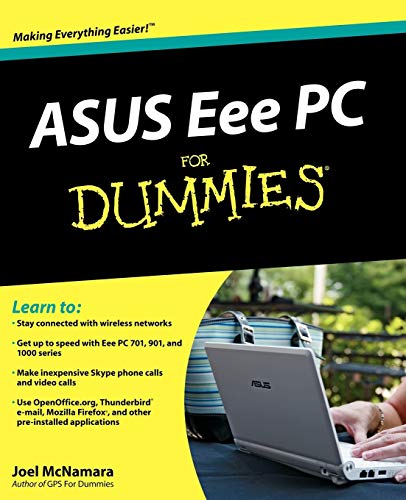
What can you do with your Eee PC? Find out how to get the most from this mini-laptop with Asus Eee PC For Dummies. It shows you how to get things done—using the Linux operating system and applications, navigating the tabbed desktop, adding hardware and software, backing up and restoring the Eee PC, and more. You’ll learn how to set up Windows, take advantage of all the pre-installed software, ensure that your computer is secure, and even run your Eee PC on solar power. You’ll find tips for configuring printers and changing touchpad settings, techniques for making Skype phone calls and listening to Internet radio, and advice for adding storage and peripherals. It also helps you:Take full advantage of this exciting, ultra-portable “netbook” PCSet up your wireless connectionMake free Skype phone calls and video callsUse OpenOffice.org, Thunderbird e-mail, Mozilla Firefox, and other included applicationsUse the versatile OpenOffice productivity suite, including Writer for word processing, Calc for spreadsheets, and Impress for presentationsCompare the advantages of Windows vs. LinuxDiscover the science, language, math, and art functions that kids can enjoy on the EeeEnjoy built-in games, watch videos, play music, organize and view photos, and moreBoost storage and memory with SD cards and USB drives, go Bluetooth, and add a GPSGet the scoop on backups, explore the advanced desktop, and customize the user interfaceThe Eee PC makes it simple to surf the Web, play games, work, and more. Asus Eee PC For Dummies makes it easier!
User’s Reviews
Editorial Reviews: From the Inside Flap Discover all you can do with this well-equipped, Web-enabled mini-laptopUltra-small, ultra-light, ultra-easy — that’s your Eee PC. But it’s no lightweight when it comes to getting things done, and this book helps you make the most of all it has to offer. Learn to use the Linux operating system and applications, navigate the ingeniously tabbed desktop, add hardware and software, back up and restore the Eee PC, and much more.Stay in touch — learn to use Thunderbird e-mail and explore the flexibility of Web browsing with FirefoxChoose your OS — see which ASUS Eee PC models come with Windows® XP and compare the advantages of Windows versus LinuxKid stuff — discover the science, language, math, and art functions that kids can enjoy on the Eee PCLet’s play — enjoy built-in games, watch videos, play music, organize and view photos, and moreExpand — boost storage and memory with SD cards and USB drives, go Bluetooth®, and add a GPS deviceTech it out — get the scoop on backups, explore the Advanced Mode desktop, and customize the user interfaceOpen the book and find:A quick course in using LinuxHow to set up Windows on an Eee PCA guide to all the pre-installed softwareHow to make Skype phone calls and listen to Internet radioTips on backing up, restoring, and troubleshootingTesting and security adviceHow to add storage and peripheralsWays to extend battery life From the Back Cover Discover all you can do with this well-equipped, Web-enabled mini-laptopUltra-small, ultra-light, ultra-easy — that’s your Eee PC. But it’s no lightweight when it comes to getting things done, and this book helps you make the most of all it has to offer. Learn to use the Linux operating system and applications, navigate the ingeniously tabbed desktop, add hardware and software, back up and restore the Eee PC, and much more.Stay in touch — learn to use Thunderbird e-mail and explore the flexibility of Web browsing with FirefoxChoose your OS — see which ASUS Eee PC models come with Windows® XP and compare the advantages of Windows versus LinuxKid stuff — discover the science, language, math, and art functions that kids can enjoy on the Eee PCLet’s play — enjoy built-in games, watch videos, play music, organize and view photos, and moreExpand — boost storage and memory with SD cards and USB drives, go Bluetooth®, and add a GPS deviceTech it out — get the scoop on backups, explore the Advanced Mode desktop, and customize the user interfaceOpen the book and find:A quick course in using LinuxHow to set up Windows on an Eee PCA guide to all the pre-installed softwareHow to make Skype phone calls and listen to Internet radioTips on backing up, restoring, and troubleshootingTesting and security adviceHow to add storage and peripheralsWays to extend battery life About the Author Joel McNamara is a writer, technology consultant, and outdoor adventurer. He has worked in the computer industry for 25 years and advises international humanitarian organizations on safety and security issues. Joel is also the author of Geocaching For Dummies and Secrets of Computer Espionage. Read more
Keywords
Free Download ASUS Eee PC For Dummies 1st Edition in PDF format
ASUS Eee PC For Dummies 1st Edition PDF Free Download
Download ASUS Eee PC For Dummies 1st Edition 2008 PDF Free
ASUS Eee PC For Dummies 1st Edition 2008 PDF Free Download
Download ASUS Eee PC For Dummies 1st Edition PDF
Free Download Ebook ASUS Eee PC For Dummies 1st Edition