Ebook Info
- Published: 2009
- Number of pages: 240 pages
- Format: PDF
- File Size: 15.89 MB
- Authors: Tony Bove
Description
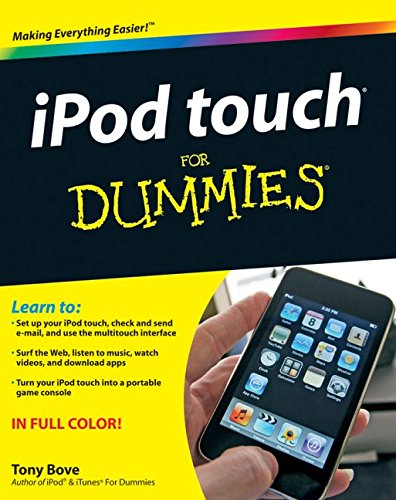
The perfect full-color guide to the iPod touch for both Mac and Windows usersYour iPod touch can do so many things. With this full-color guide, you can get hip to all your iPod touch has to offer and take full advantage of the iTunes store and the App Store, as well.You’ll start by learning how to manage the multi-touch interface and setting up iTunes. Then you’ll discover how to connect to the Internet via Wi-Fi, receive and send e-mail, get directions and use maps, play games, download and watch movies, shop for cool new apps at the App Store, and much more.Starts with the basics of setting up and using the iPod touch, richly illustrated in full colorCovers listening to music, synchronizing your data, working with the calendar, setting up iTunes, and getting online via Wi-FiShows how to send and receive e-mail, shop for movies and music at the iTunes Store, browse the Web, share photos, download and watch movies and TV shows, and download apps from the App StoreExplains how to use your iPod touch as a portable game console and how to manage your contacts and to-do listsAlso covers protecting your information and troubleshootingiPod touch For Dummies helps you make the most of this amazing device that combines a widescreen iPod with touch controls, a portable game console, and a breakthrough Internet device.
User’s Reviews
Editorial Reviews: From the Back Cover Touch up your life with music, movies, e-mail, maps, the Web, and more!You have the magic touch — at least, you will after you’ve read this book! From the basic stuff about setting up an iPodtouch and charging its battery to cool stuff like playing games, finding your way with Google Maps, connecting with Facebook, and sending tweets, this guide helps you grab all the excitement your iPod touch makes possible.Power up — connect your iPod touch to your Mac or PC, sync up with iTunes, charge up the battery, and locate a Wi-Fi networkFlick, pick, and click — navigate the multitouch screen, use the onscreen keyboard, and shop for content or appsPlayback’s a breeze — create playlists, play videos and audio books, set up slideshows, and e-mail photosFinding yourself — enter locations, get directions from Google Maps, show traffic and satellite maps, and save bookmarksKeep in touch — maintain your calendar, connect to Facebook or MySpace®, use Twitter, and instant messageOpen the book and find:Steps for getting started with your iPod touchHow to customize your iPod touchSteps for browsing and downloading content from the iTunes StoreHow to sync your data, calendar, e-mail, and mediaDetails about loading images on your iPod touch and setting up a slide showTips for getting online with your iPod touchExplanations for finding your location, checking the weather forecast, or getting stock quotes About the Author Tony Bove has written more than two dozen computer books, including all editions of iPod & iTunes For Dummies. Tony is also a professional musician. He blogs and offers tips about iPods, iPhones, iTunes, and the iLife applications at www.tonybove.com.
Reviews from Amazon users which were colected at the time this book was published on the website:
⭐Great
⭐excellent reference
⭐Let’s just say the person I bought this book for is not the most technology-oriented person out there, and they were able to understand this book and figure out the iPod because of the book. What more can I say? It works!
⭐very good!!!!
⭐I had purchased another iPod Touch book by another author before this purchase. This book is by far a better explanation of how to use iTouch.I liked the color graphics in this book plus the “right to the point ” text. I bought a second copy from you to give to my daughter who admired my copy.
⭐The iPod touch for Dummies is very good. I’m glad to have it.Lorraine
⭐I had several CDs and DVDs that I wanted to transfer to my Ipod. I had to go to the Apple Store to find the answer. It was not the necessary tool that I needed. However, I am a Palm fan for over 15 years and thought I would give the Ipod a chance. I like the Palm OS better but I will not go into my basic reason except to say it was more easy for me to use the Palm OS. Ipod is about a 70% of what I needed and the book was was about 70% of what I needed to learn.
⭐The book fell short on a lot of things. I thought it would help show me some things that I didn’t know but naaaaaaaaaa. Learn more from the kids down the street.
⭐This book has allowed many hours of pleasure with my iPod touch and was well worth the benefits far outweigh the cost.
⭐Loved it
⭐I’m still a dummy after trying to follow this book
⭐YES I AM VERY HAPPY, THE BOOK HELPS IN MANY WAYS. IF ONLY MY DNS WILL LET ME I WILL BUY MORE.
⭐I was advised to replace my Creative Zen with an iPod touch,little did I know it would be so different.But thank to Mr Bove I was soon able to Master my new mp3 I really needed the manual to get the best out of my new gadget.
Keywords
Free Download iPod touch For Dummies 1st Edition in PDF format
iPod touch For Dummies 1st Edition PDF Free Download
Download iPod touch For Dummies 1st Edition 2009 PDF Free
iPod touch For Dummies 1st Edition 2009 PDF Free Download
Download iPod touch For Dummies 1st Edition PDF
Free Download Ebook iPod touch For Dummies 1st Edition