Ebook Info
- Published: 2009
- Number of pages: 416 pages
- Format: PDF
- File Size: 23.11 MB
- Authors: Barbara Obermeier
Description
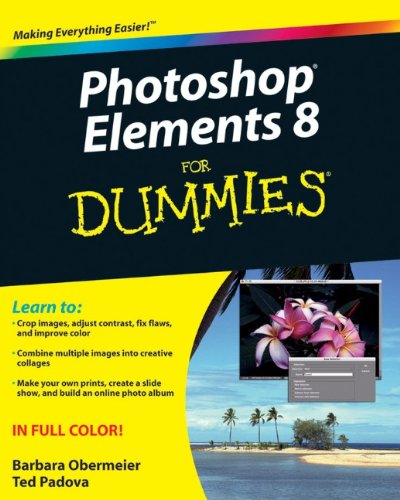
The perennial bestseller is updated and revised throughout for the latest release of Photoshop Elements 8Richly illustrated in full color, this friendly, easy-to-understand guide provides all the essentials on the latest version of the affordable and popular image-editing program, Photoshop Elements. Get the scoop on using the latest digital imaging tools and techniques to correct color, brightness, and contrast; create postcards, slideshows, and movie files; apply artistic effects to your photos; fix flaws and even remove unwanted elements from your images; and so much more. Use the Organizer on a Windows PC or Adobe Bridge on a Mac to sort, find, tag, and catalog your photos Straighten crooked lines, crop for effect, or fix color, sharpness, red-eye, and contrast Move people or objects in and out of your pictures, change the background, combine multiple images, or replace one color with another Add effects with filters, get creative with type, or play with the drawing and painting tools Tag your photos using People Recognition or by geographical location Turn your photos into postcards, calendars, greeting cards, and photo books with a few simple clicks Import images into Elements from a variety of sources Upload and save images to Photoshop.com Photoshop Elements 8 For Dummies shows you how to make the most of Elements awesome image editing, organization, and photo sharing tools. Whether you’re concerned about color correction and clarity or just want a cool calendar of your kids for the wall, you’ll learn how to do it with this book!
User’s Reviews
Editorial Reviews: From the Back Cover Repair, enhance, organize, and share your photos — it’s never been easier!Whether you’re a brand-new digital photographer or you get paid to take pictures, Photoshop Elements has something for you — and so does this book. Learn the tools, commands, and workspaces; correct color, brightness, and contrast; create postcards, slide shows, and even movie files; give your photos the look of a fine-art painting, and so much more.Get organized — use the Organizer on a Windows PC or Adobe Bridge on a Mac to sort, find, tag, and catalog your photosMaster simple makeovers — crop photos for better composition, straighten crooked images, remove red-eye, or adjust colorBecome a digital magician — move people or objects in and out of your pictures, change the background, combine multiple images, or replace one color with anotherBring out your inner artist — discover how to add effects with filters, get creative with type, or play with the drawing and painting toolsShare your work — turn your photos into postcards, calendars, greeting cards, and photo books with a few mouse clicksOpen the book and find:How to get images into Elements from a variety of sourcesInstructions for both Windows and Mac usersSimple makeover tips to improve your imagesHow to correct color, contrast, and claritySteps for tagging your photos by geographic locationSecrets for making and modifying selectionsCreative applications for layers, filters, effects, and stylesHow to upload and save images to Photoshop.com About the Author Barbara Obermeier is the principal of Obermeier Design, a graphic design studio in California specializing in print and Web design. She is currently a Graphic Design faculty member at Brooks Institute. Ted Padova is an internationally recognized authority on Adobe Acrobat, PDF, and digital imaging.
Reviews from Amazon users which were colected at the time this book was published on the website:
⭐I purchased this book to see how to operate elements 8. It has a detail step-by-step method of illustrating how to accomplish certain facets of the program. The reason for my purchase was to give assistance to other members of a photography club I belong to. My classes are geared to members who have Elements 7 through 11. I needed this book to read so as to answer question from my students. The seller of this book was excellent in his shipping and quality of the book. I requested a new book and that is what was sent to me. It is a good book
⭐The book is very informative. It takes concntrated study, but this photo program is full of great features, and owners should learn to use them all. This book will definitely help with that task.But Amazon may have Captain Hook or Edward Scissorhands working in the shipping department. My book arrived with some rips and cuts on some pages. It was still usable for me so I didn’t complain because I was eager to get into the information, which was very helpful to me. I’m still studying, and it will be a great reference book for the Elements 8 program.
⭐I have always thought I was pretty good learning new software without having to refer to a book. Photoshop, however, it not that kind of software. I would not call it user friendly and a book or “how to” on YouTube is definitely needed. I have come a long way at understanding Photoshop since I have retired and have more time to put into researching how to do the things I want to accomplish. I definitely think this book will lead me to explore all the options Photoshop has to offer.
⭐This does not answer any of the questions I have about elements 8. Glad I did not spend a lot on this book.
⭐guess i am too dumb cause i do not understand it. i loved photodeluxe 1.0 but hate photoshop elements and the book has not helped. so much for progress and making things better and way more complicated. i guess you can call that progress.
⭐I could not figure out my Photoshop program for my Nikon camera, even after reading all the handbooks that came with it. I needed help. And Photoshop Elements 8 for Dummies was written just for me. It clearly explained, with pictures, every step of the program, in a way I could understand. I’m now breezing right through the program. I’m not a dummy anymore with Photoshop.
⭐While I am just getting into the book, been busy lately, just from browsing I can already tell this book is upto the usual “Dummies” clarity and quality. I would recommend it to all but the professional photographer.
⭐I guess I’m dumber than this book. Hard to understand.
⭐This book is very good and I am learning a lot of useful procedures from it. I am computer literate and have had some experience at photo editing. Personally I would challenge the Title – “For Dummies”, because it gives the impression that anyone could pick up the book and immediately work through Photoshop Elements. I do think you need to have had some background experience before the book could become really useful. It is not for beginners.
⭐Not the publication I thought it would be from the publisher’s.I was looking for a manual which would guide me through processessuch as changing skies or practical use of tools.As it is it glosses over many processes assuming readers are,already.competent in the use of digital processes. As a newcomer to this field I need a step by step guide to many of the basic processes I need to improve my images.
⭐This is proving to be a very useful aid to understanding how to get the best out of Adobe Photoshop Elements 8. It illustrates the possibilities and leads you through what you need to do to achieve the desired results.
⭐An easy-to-read text, which includes typically-American humorous interjections. Useful for someone new to Elements, but some of the how-to-do explanations are over-simplified (check the section on importing maps, for example).
⭐I bought this when a friend lent me elements 8 to see if I liked it.I then bought elements 11 & ideally I could do with elements 11.However,it does the job
Keywords
Free Download Photoshop Elements 8 For Dummies 1st Edition in PDF format
Photoshop Elements 8 For Dummies 1st Edition PDF Free Download
Download Photoshop Elements 8 For Dummies 1st Edition 2009 PDF Free
Photoshop Elements 8 For Dummies 1st Edition 2009 PDF Free Download
Download Photoshop Elements 8 For Dummies 1st Edition PDF
Free Download Ebook Photoshop Elements 8 For Dummies 1st Edition