Ebook Info
- Published: 2008
- Number of pages: 368 pages
- Format: PDF
- File Size: 15.95 MB
- Authors: Rob Sylvan
Description
Take your digital photography to the next level by learning how to use Adobe Photoshop Lightroom 2 with Photoshop Lightroom 2 for Dummies! From how to install Lightroom and navigate the Lightroom interface to playing with advanced options like creating slideshows and sharing photos with friends and family, this easy-to-understand guide will walk you through every step. You’ll find out all about the Lightroom modules and their functions while understanding the role of the Lightroom catalog, how to care for it, and work with its functions. You will learn everything about working with digital photographs, from distinguishing among various file formats to managing and importing photos. You’ll find out how to view, find, organize and develop photos in the library and utilize the digital darkroom. You’ll even find out how to work with external editors. After reading this book, you will know how to:Install and get started with LightroomRecognize the role and function of the Lightroom catalogManage and save filesView, find, organize, and develop photos in the libraryUnleash your creativity with photo editing optionsShare and export files to share them with friends and familyCreate copies, slideshows, and web galleriesComplete with lists of ten resources, ten common problems and solutions, and ten favorite tips and tricks, Photoshop Lightroom 2For Dummies is your one-stop guide to setting up, working with, and making the most of Photoshop Lightroom for all your digital photography needs.
User’s Reviews
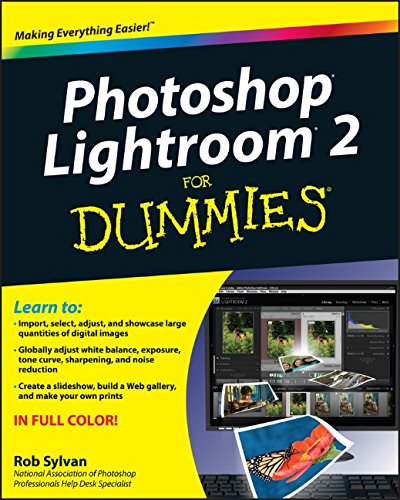
Editorial Reviews: From the Back Cover Learn to:Import, select, adjust, and showcase large quantities of digital imagesGlobally adjust white balance, exposure, tone curve, sharpening, and noise reductionCreate a slideshow, build a Web gallery, and make your own printsIN FULL COLOR!The secrets of Lightroom explained in plain English!Whether you’re new to Lightroom or just want to get the most out of it, you’ve come to the right place. Discover how Lightroom’s five modules work together to improve your workflow, so you can manage data for batch processing, streamline the fine-tuning, and produce eye-popping images, prints, Web galleries, and slideshows with less hassle. Manage with modules — organize with Library, edit with Develop, create presentations with Slideshow, use Print for a color-managed workflow, and put images online with WebSave time — leverage the power of Lightroom’s database to manage and process images with a single toolMaximize the Catalog — customize and optimize Lightroom’s database nerve centerStreamline — create file name templates for batch renaming and embed information with metadata templatesClean it up — customize the interface to clear away clutter and make your workspace look just the way you wantOpen the book and find:Solutions for setting up and managing your workflowSteps for automatically renaming files and adding metadata when importingTime-saving tips using the Quick Develop panelHow to make adjustments and fix common problems without altering the original image dataWhat the Grid, Loupe, Compare, and Survey views offerHow simple it is to generate sophisticated online Web galleries and slide shows About the Author Rob Sylvan is a trainer, instructional designer, writer, Web developer, and photographer. He is a Help Desk Specialist for the National Association of Photoshop Professionals and he’s the Site Director for iStockphoto.com. Rob writes the Lightroom-focused “Under the Loupe” column for Photoshop User magazine.
Reviews from Amazon users which were colected at the time this book was published on the website:
⭐Well written and very helpful when navigating a steep learning curve for the software. The author knows his stuff but presents the material in a way that is very understandable. It’s not easy explaining this complex software but he’s done it. Way to go!
⭐I purchased this book with some knowledge of Lightroom and it’s uses already…..or so I thought. This book helped me to learn all the ins and outs of this program. Not only is this book well written, it is FULL of useful information. It’s one of those books that you don’t want to miss a page because you could miss some little tricks along the way. This book gives you short cuts and tips, it tells you how to organize, rate, and develop your photos. It shows you how to put them in a slideshow, how to get them on the web and so much more. It tells you everything this program has to offer. This is a must have to a new or unseasoned Lightroom user. I have referred to it numberous times. Definite 5 stars.
⭐I purchased this for my mother who is new to Lightroom and she loves it. It breaks things down into easy to understand instructions.
⭐..simplifies Lightroom into explained, understandable jargon so one can use the product without being overwhelmed by the Adobe actual manual. Post processing explained in easy to understand terminology. A must have for the new owner of LR looking to shoot RAW for the first time…
⭐Best that I’ve had come across!
⭐I am learning quite a bit by reading this book. The author’s writing style makes it very easy to understand.
⭐Helped me understand this app
⭐I’m up to LR 3 and holding off on LR 4, but this book helped me quickly get configured for nice workflow.
⭐This book is by far the best beginners guide to Lightroom 2. What it lacks in details of sophisticated processing techniques, it more than makes up for in easy-to-follow steps for getting to grips with this highly complex program for the first time.When presented with an application as initially baffling as Lightroom 2, it is easy to get totally overwhelmed by the enormous number of options there are at every stage of every process. By taking a do-this-don’t-do-that approach, this book enables one to start using Lightroom almost instantly.This approach is so much better than other books which start by considering all the options in detail, leaving the reader in total confusion as what is best to do. I found this book an excellent prelude to exploring Scott Kelby’s detailed book, which fills out the techniques learnt initially in the Dummies book.
⭐If you are a newcomer to Lightroom, this is essential.Lightroom is a way of working not just another piece of software. Like other Photoshop products, there are numerous ‘hidden’ features that you will not find without reading the book. Generally I can find my way around a piece of software without a manual, but not with Lightroom. The organisation and understanding of the Catalogue is essential. Without this book I would have been so frustrated, I think I would have given up.It is well written, and easy to follow.
⭐Not my favourite dummies book. I found it hard to follow and I still can’t fully understand lightroom. However this may not be the fault of the author but my inability to grasp this really complicated program.
⭐OK, but now out of date
⭐excellent book in very good condition,easy to follow and understand the instructions. I would definitely recommend this book for lightroom users.
Keywords
Free Download Photoshop Lightroom 2 For Dummies 1st Edition in PDF format
Photoshop Lightroom 2 For Dummies 1st Edition PDF Free Download
Download Photoshop Lightroom 2 For Dummies 1st Edition 2008 PDF Free
Photoshop Lightroom 2 For Dummies 1st Edition 2008 PDF Free Download
Download Photoshop Lightroom 2 For Dummies 1st Edition PDF
Free Download Ebook Photoshop Lightroom 2 For Dummies 1st Edition